Cloudflare’s new “Turnstile” service provides a user-friendly, privacy-protecting alternative to Google reCAPTCHA and hCaptcha, making it an attractive option for WordPress site owners concerned with login and contact/comment and other form’s security.
Here, you will learn how to integrate Cloudflare Turnstile with WooCommerce, Contact Form 7, WordPress website platform as a whole and several other plugins.
Enable Cloudflare Turnstile
If you are not a Cloudflare customer, sign up for Cloudflare here.
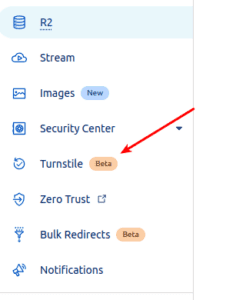
After signing in to Cloudflare, head over to the dashboard and add your site by clicking the “Turnstile” button.
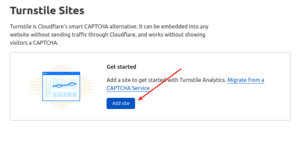
Then, choose the widget type and provide the website’s name and URL.
Managed
Cloudflare will use information from the visitor to decide if an interactive challenge should be used. If we do show an interaction, the user will be prompted to check a box (no images or text to decipher).

Non-interactive
A purely non-interactive challenge. Users will see a widget with a loading bar while the browser challenge is run.

Invisible
Invisible challenge that does not require interaction.

After clicking the “Create” button, you will be provided with a “Site Key” as well as a “Secret Key.” Keep this page open since you’ll need to copy them when configuring the WordPress plugin in the next step.
Install the “Simple Cloudflare Turnstile” plugin for WordPress
Installing the “Simple Cloudflare Turnstile” plugin on your website is the next step. To accomplish this, navigate to “Plugins > Add New” in your WordPress administration area, search for “Simple Cloudflare Turnstile”, click “Install,” and then click the “Activate” button that appears once the plugin has been installed.

You will then be directed to the Simple Cloudflare Turnstile settings page. Here you may enter your Cloudflare Turnstile “Site Key” and “Site Secret,” as well as choose which forms Turnstile will appear on.
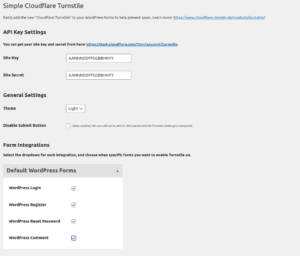
You can enable Turnstile using this plugin on the following forms:
WordPress
– WordPress Login Form
– WordPress Registration Form
– WordPress Password Reset Form
– WordPress Comments Form

WooCommerce
– WooCommerce Checkout
– WooCommerce Login Form
– WooCommerce Registration Form
– WooCommerce Password Reset Form

Contact Form Plugins
– WPForms
– Fluent Forms
– Contact Form 7

Other Integrations
– Mailchimp for WordPress Forms
– BuddyPress Registration Form
– bbPress Create Topic & Reply Forms

Here’s how the Turnstile challenge will seem when activated on your WordPress login form:

More details about the plugin can be found here, https://wordpress.org/plugins/simple-cloudflare-turnstile/
To learn more about Cloudflare Turnstile, click here https://www.cloudflare.com/en-gb/products/turnstile/
Now you have got an easy way to implement the latest product from Cloudflare for securing our WordPress installation. Try it and let us if you have any comments
 NixCrow